Checking your balance on MySkillsFuture
-
1
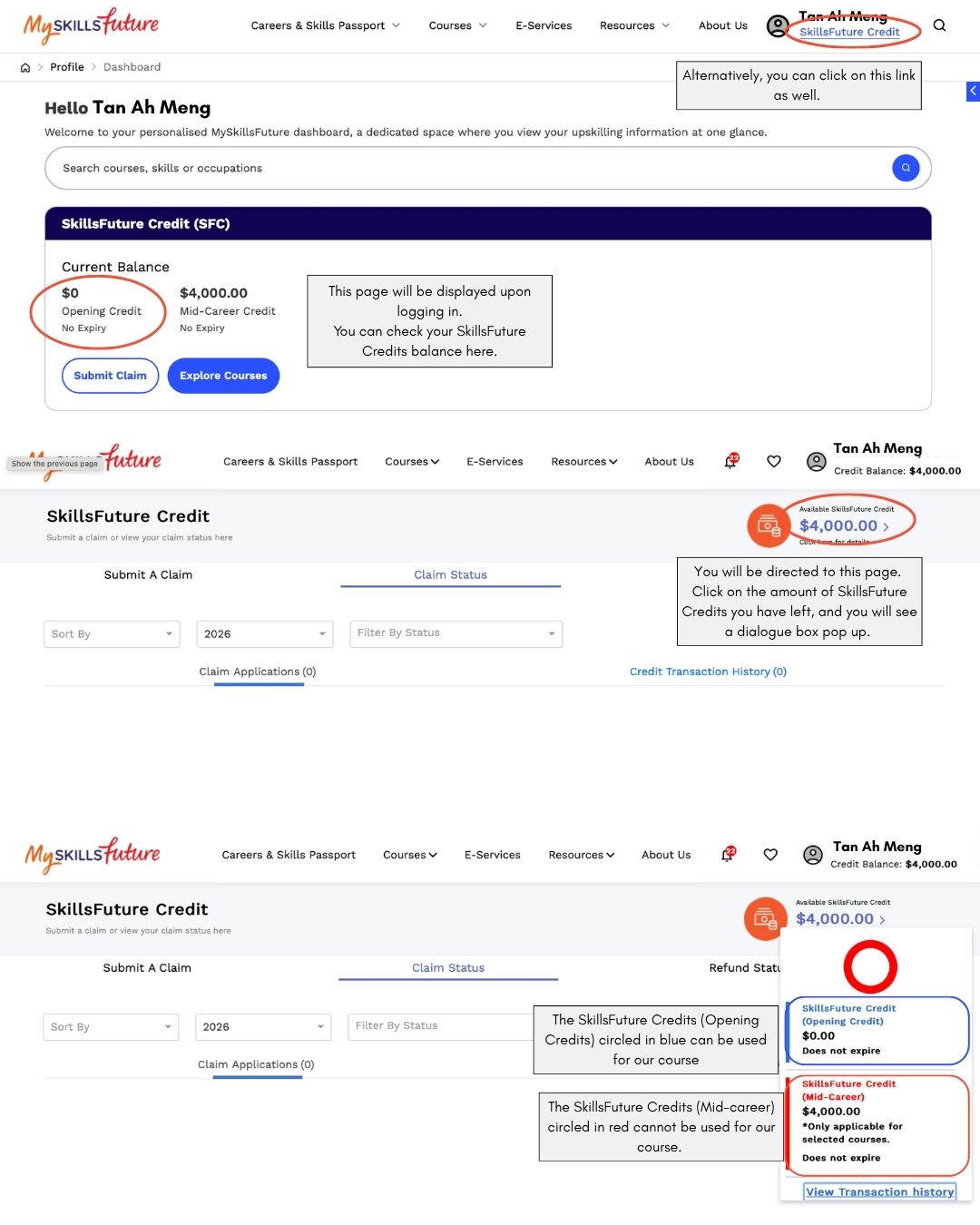
Go to myskillsfuture.gov.sg and log in using your SingPass.
-
2
Once logged in, your SkillsFuture Credit balance breakdown is displayed directly below the search bar on the dashboard.
-
3
Alternatively, click on the SkillsFuture Credit link at the top right corner of the page, then click on the credit amount shown. A dialogue box will appear with the full breakdown of your available credits.
-
4
Look for the row labelled SkillsFuture Credits (Opening Credits). This is the only credit type that can be used for Fleuriste WSQ courses.
Important: Only your SkillsFuture Credits (Opening Credits) can be used for our courses. Mid-Career Enhanced Subsidy credits and Mid-Career Transition credits cannot be applied.
What your balance page looks like
Which credits can you use for our courses?
SkillsFuture Credits (Opening Credits)
Available to all Singapore Citizens aged 25 and above. This is the credit type accepted for Fleuriste WSQ courses. Check this balance before registering.
Mid-Career Enhanced Subsidy Credits
Additional credits for Singapore Citizens aged 40 and above, but only applicable to specific course categories. Cannot be used for Fleuriste WSQ courses.
Mid-Career Transition Credits
Credits available under the Mid-Career Transition programme. Cannot be used for Fleuriste WSQ courses.
Not sure which is which?
The Opening Credits row is clearly labelled in the MySkillsFuture portal. If you're still unsure, WhatsApp us at 9068 5320 and we'll help you check.